Adding cards
Adding a card by hand
Type in a card's details with + Add card, including graded cards, quantities and what you paid.
For a card you'd rather type in (or one the scanner can't read), choose + Add card at the top of the screen. A new card window opens with the cursor in Player.
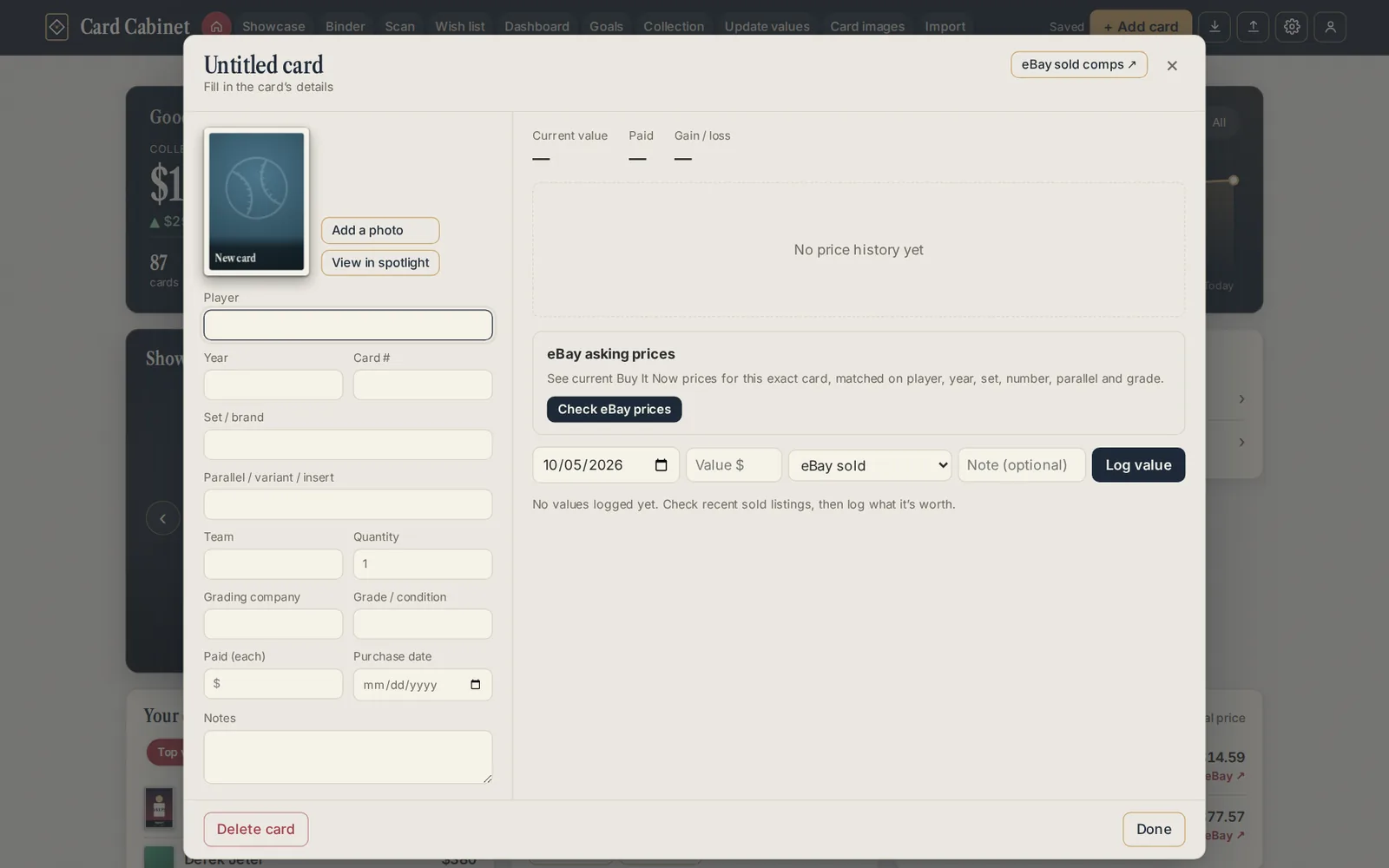
The fields
| Field | What to put |
|---|---|
| Player | The name on the card. For a team card, the team. |
| Year | The set's year, such as 1989 or 2025. |
| Card # | The number on the back, including any prefix (US99, BCP-1, 98T). |
| Set / brand | The set name, such as Topps Series 1 or Upper Deck. |
| Parallel / variant / insert | Anything that makes it different from the base card: Gold Refractor /50, Purple Geometric, an insert name. Leave blank for a base card. |
| Team | The team shown on the card. |
| Quantity | How many copies you have. |
| Grading company and Grade / condition | For a slab, such as PSA and 9. Leave both blank for a raw card. |
| Paid (each) and Purchase date | Optional. Used for gain and loss. |
| Notes | Anything you want to remember: where you got it, who signed it. |
The more exact the details, the better the prices. Card Cabinet prices a card only from eBay listings that match its player, year, set, number, parallel and grade, so "2023 Topps Chrome Gunnar Henderson #21 Gold Refractor /50" gets a much better price than "Henderson Chrome".
If you close a new card while it's still blank, it's discarded.
Then
- Choose Add a photo to upload a picture, paste one, or find one on eBay. See Card photos.
- Choose Check eBay prices to see what it's listed for. See How prices work.
- If the card is in one of the checklists, a Set checklist button appears, which opens the whole set with your cards marked.
Updated 2026-10-05.