Your collection
Card photos
Add front and back photos by upload, paste or eBay search, crop them, and fill in photos for a whole collection with photo sync.
Every card can have a front and a back photo. Cards without one show a plain stand-in with the card's details until you add one.
Adding or changing a photo
Open a card and choose Add a photo (or Change photos). Select the Front or Back slot, then:
- Upload a photo from your device.
- On a computer, drag an image in, or paste one with Ctrl+V (or ⌘+V on a Mac).
- Paste an image link and choose Add.
- With eBay set up, search eBay for listing photos of this card. Results are marked Strong match, Possible match or Unlikely. More photos shows a listing's other pictures, which is usually where the back is. Choose one to use it.
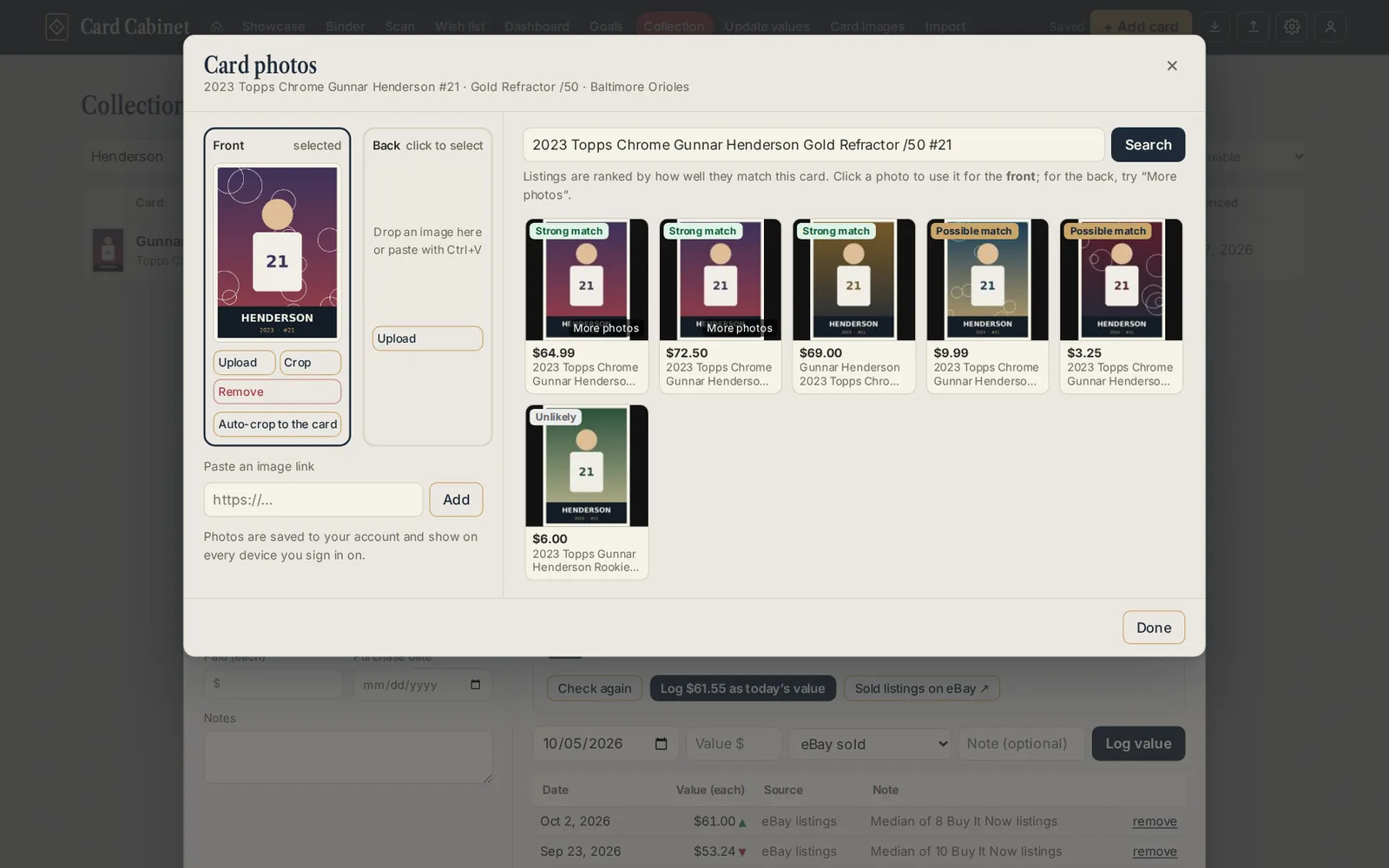
Each slot also has Crop and Remove.
Cropping
Crop opens the photo with a box to drag and resize. Rotate 90° turns it, and Keep card shape keeps the box at a card's proportions. Choose Save crop (or press Enter).
To have new photos cropped to the card automatically, turn on Auto-crop new photos to just the card in Settings → Photos. The original is always kept, so Use the original photo switches back. Scanned cards are already cropped.
Photos for a whole collection
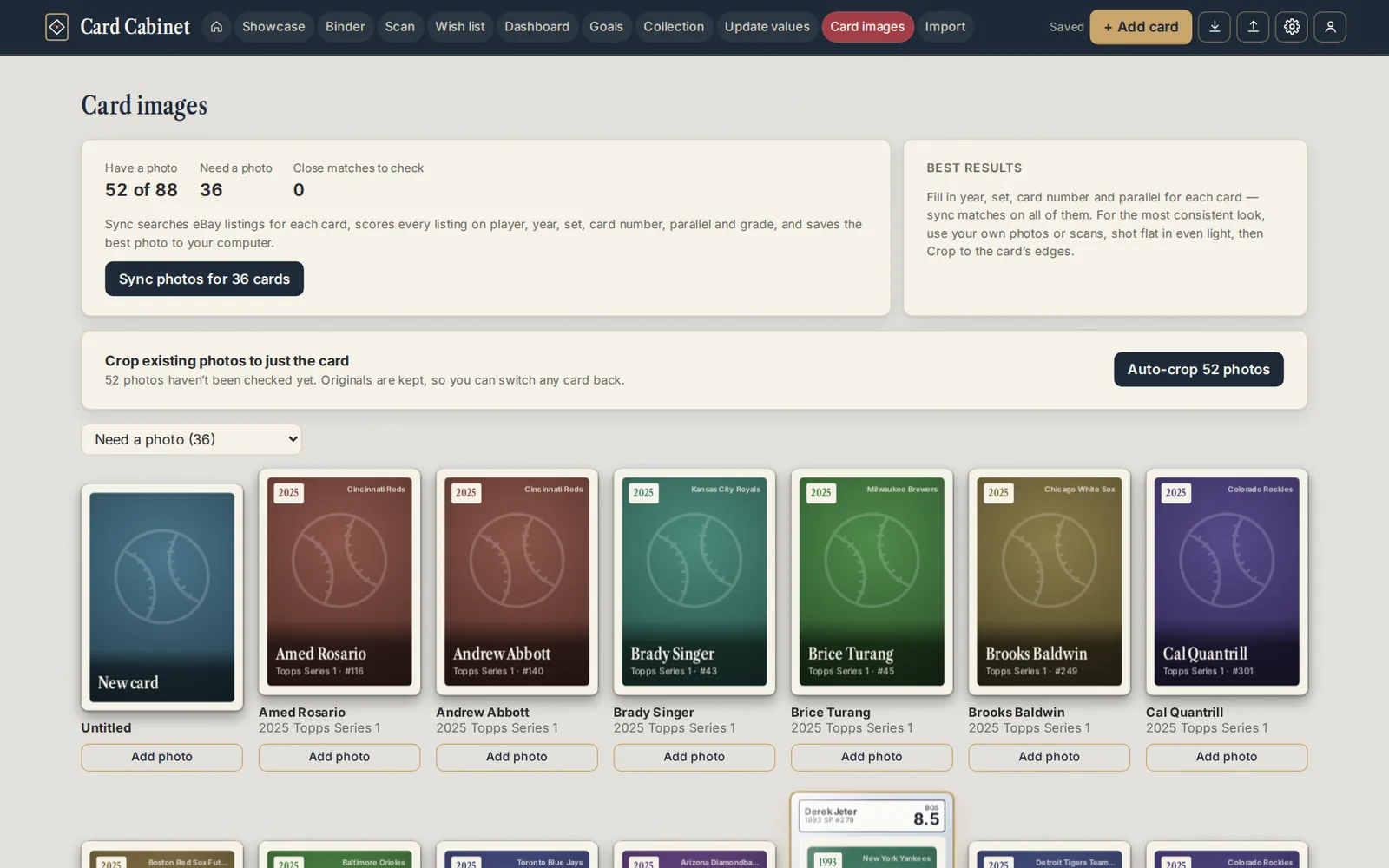
Card images (on a phone: More → Card images) shows how many cards have a photo, how many need one, and which photo-sync matches are worth a check.
Sync photos searches eBay for every card without a photo and saves the best match, about a second per card:
- Strong matches are saved.
- Close matches are saved and marked so you can check them. Looks right confirms one.
- Cards with no good match keep their stand-in.
You can also redo photos sync found earlier (photos you added yourself are never replaced) and save backs from the listing's second photo. Sync keeps going if you close its window; a pill at the top shows progress.
Photo sync uses eBay searches, so it works best with your own eBay keys. On the free allowance it runs within a daily share.
Updated 2026-10-05.