Your collection
Your collection
Search, filter and sort your cards, save views you use often, tag cards and note where they're kept, and edit any card's details, value and history.
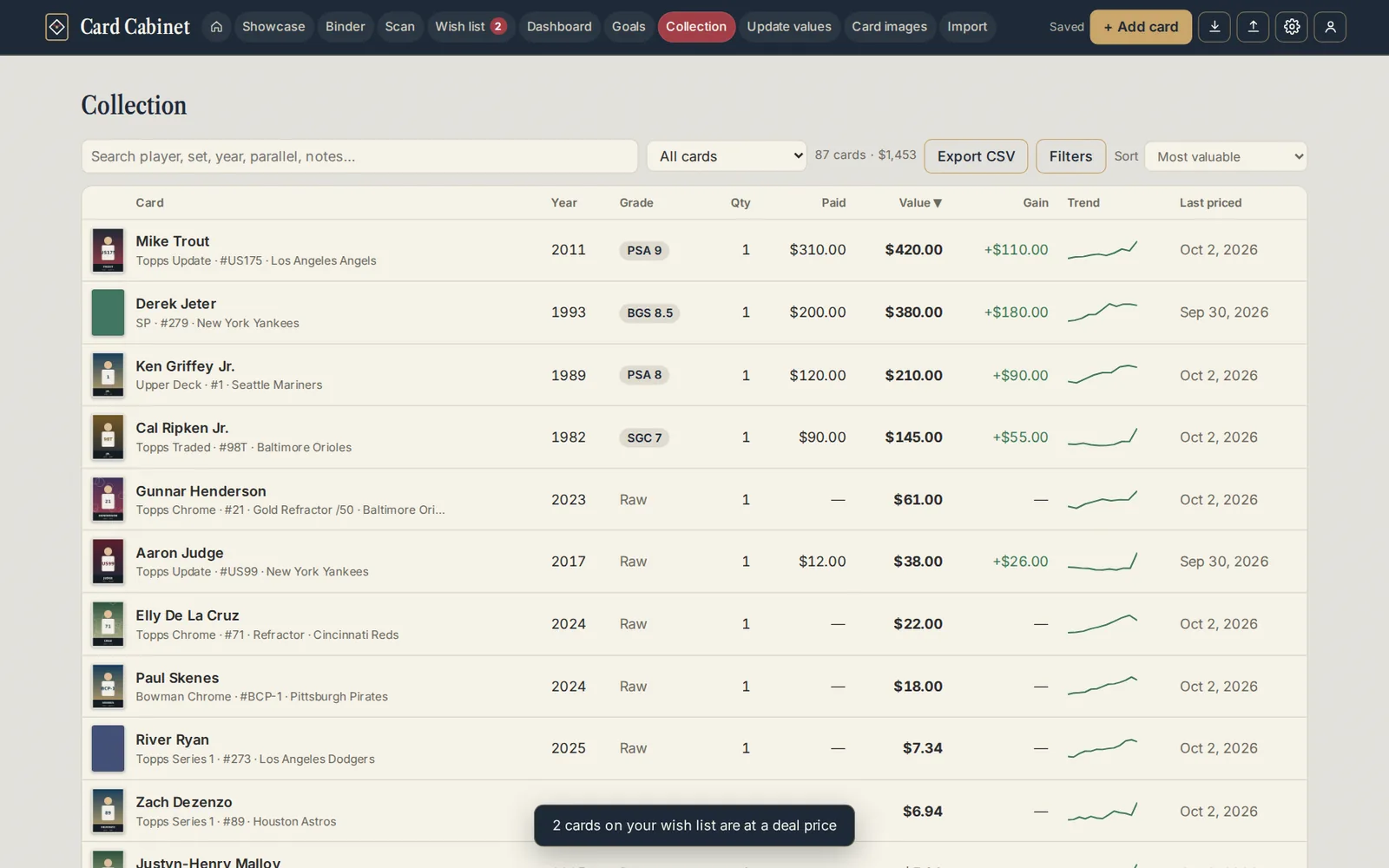
Collection lists every card you own with its value. On a computer it's a table; on a phone, one card per row.
Finding cards
- Search matches player, set, year, parallel, tags, where it is and notes as you type.
- The quick filter next to it narrows to Graded only, Raw only, Needs price check or No photo yet.
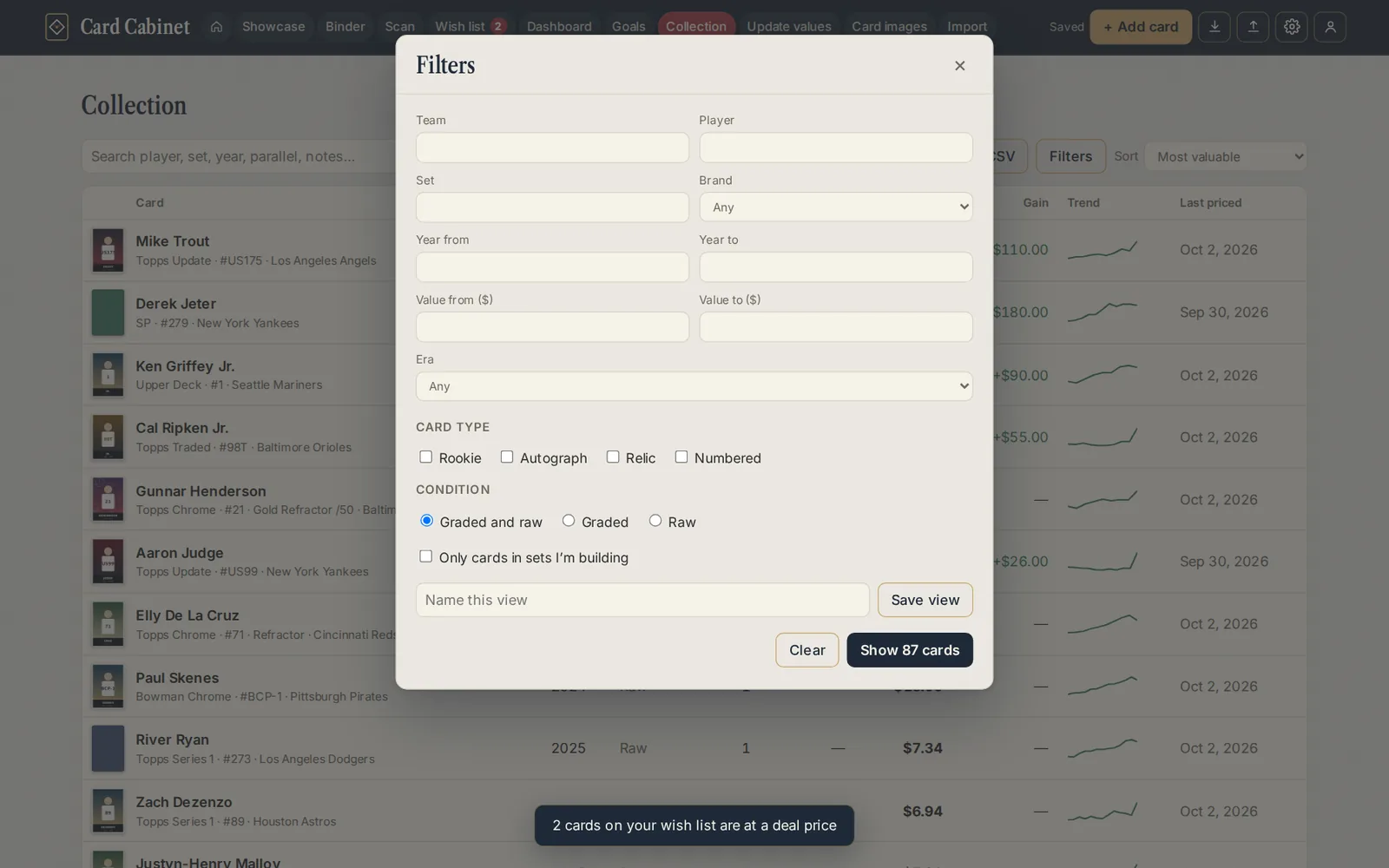
- Filters opens the full set: team, player, set, brand, year range, value range, tag, where it is, era, card type, condition (graded or raw) and Only cards in sets I'm building.
- Tags show on each card. Click one to see every card with that tag.
- Sort orders by Most valuable, Biggest change, Oldest first, Set and card number, Recently added, Closest to complete or My order.
The line above the table shows how many cards match and their total value.
Saved views
In Filters, type a name under Name this view and choose Save view. It appears as a chip above your collection, one click away, for combinations you use often, like "Orioles rookies" or "Slabs over $100". Click the chip again to go back to all your cards.
Your saved views are listed at the bottom of Filters. Tick On Home to show a view on Home as well, or Delete one you no longer need.
A card up close
Click a row (or tap it on a phone) to open the card. Clicking the photo opens it large in the spotlight instead.

The card window has:
- The details, all editable: player, year, card number, set, parallel, team, quantity, grading, what you paid, purchase date, where it is (a box or binder page), tags and notes. Changes save as you leave each field.
- Current value, Paid and Gain / loss, with a chart of the card's value over time.
- eBay asking prices: what matching listings are asking right now. See How prices work.
- A value log. Log a value by hand with a date, an amount, a source (for example eBay sold or a show price) and a note. Every entry is listed below, with remove to take one out.
- eBay sold comps ↗, which opens eBay's sold listings for this card in a new tab.
- Change photos, View in spotlight, and Set checklist when the card is in a checklist.
- Delete card moves the card to Recently deleted, where you can bring it back for 30 days.
Updating many values at once
Update values lists the cards that need a price check (or all of them, or graded only). Fill from eBay listings checks them on Card Cabinet's server and fills each box with the median asking price for review as the checks come back. Or type your own values, then Save values logs them all with the date and source you chose.
To change anything else on many cards at once, select them. See Changing many cards at once.
Exporting
Export CSV downloads the cards in the current view as a spreadsheet. See Download or delete your data.
Updated 2026-10-05.