Prices and goals
Sets, checklists and goals
Track the sets you're building against full checklists, see what's missing and what it would cost to finish, and follow milestones.
On this page
Card Cabinet has a library of full set checklists, starting with every official Topps baseball checklist since 2021. Your cards are matched to them automatically, so you can see how complete a set is without ticking anything off.
Track a set
- Open Goals and choose Track a set.
- Search the checklists, for example 2025 Topps Heritage, and pick the set.
The set appears under What I'm building with how many cards you have, how many are missing, and a progress bar. Completion counts the base set; inserts and parallels are listed separately.
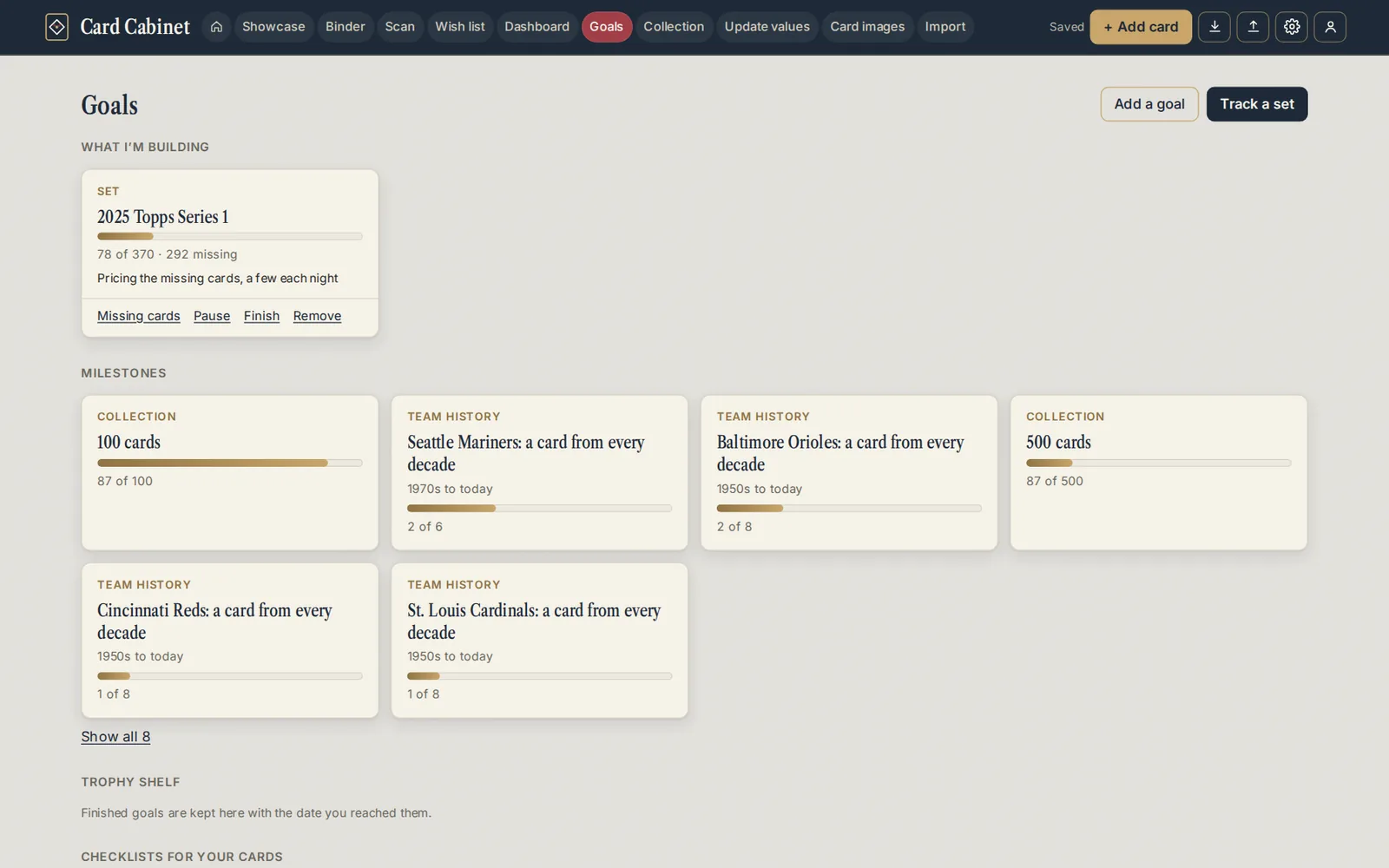
Other kinds of goal, from Add a goal: a team set (one team's cards in a set), an insert set, a player run (a card of a player from every year), or a custom list of cards you pick.
Each goal has Missing cards, Pause, Finish and Remove. Finished goals move to the Trophy shelf with the date.
How your cards are matched
A card counts toward a set when its year, set and card number match a row in the checklist. If a card you own isn't counted, open it and check those three details. In a checklist, your cards are marked In your collection, and Missing only hides them.
Cost to finish
For each set you're building, Card Cabinet prices the missing cards at their lowest matching eBay asking price and shows, for example, $212 to finish at lowest asking prices. It prices a few missing cards each night, so a new goal fills in over several days (Pricing the missing cards, a few each night).
Milestones
Milestones are suggested from your collection and favorites, such as a card from every decade of your team, a rookie card of each favorite player, or 500 cards. They fill in on their own as you add cards.
Browsing checklists
Anyone can browse the checklists without an account at Set checklists, and see every card of a player at Players.
Every set page has Print checklist and Download CSV. Both are free. When you're signed in, the cards you have come ticked, and you can print just the cards you need, one subset or one team.
Fixing a checklist
The checklists are shared by everyone. If you spot a mistake, open the set, and use Add a row, edit a row, or Paste corrections, then Save for everyone. Every change is listed under Recent changes and can be undone.
If a set you collect isn't in the library yet, Paste a list lets you add its checklist.
Updated 2026-10-05.